What is rank tracking? It is the practice of monitoring where your web pages appear in search results for specific keywords over time. I have been doing this for years across LearnQ.ai, VEGA AI, FinLecture.in, and now Pro AI Search, and the way I use it today looks very different from how I started.
The biggest shift came when I was running content for LearnQ.ai, our AI-powered test prep platform. We were ranking in positions 3 to 5 for several high-intent queries. Traffic was not following the rankings the way I expected. When I dug in, I realized Google had started showing AI Overviews for most of those queries. We were ranking well in the organic results but the AI Overview was sitting above everything, answering the question before users ever reached our link.
That experience changed how I think about rank tracking completely. In 2026, traditional position tracking is still necessary, but it is no longer sufficient on its own. This guide covers what rank tracking is, how it works, where traditional tracking falls short in AI search, and how I set it up now. For the broader technical framework behind AI search visibility, our LLM SEO implementation guide covers the full setup.
What Is Rank Tracking? (The Core Definition)
Rank tracking is the process of checking where specific pages on your site appear in SERPs for target keywords on a regular schedule. The point is not any single snapshot. The point is the trend: are you moving up, moving down, or holding steady over time?
I think of it as the feedback loop that makes SEO decisions defensible. When I made content changes on FinLecture.in, rank tracking was the only way I could tell whether those changes were actually working or whether I was just guessing. Without it, every optimization decision is based on intuition. With it, you have data to act on.
The core metrics rank tracking captures: keyword position (1 to 100+), search visibility percentage across your tracked keyword set, presence in SERP features like featured snippets and People Also Ask boxes, and where your competitors sit for the same keywords.
How Does Rank Tracking Work?
Rank tracking tools simulate a search query from a specific location on a specific device, record your URL’s position in the results, and store that data over time. Most tools do this on a daily or weekly schedule. The historical data is what makes the tool useful.
A few things I learned the hard way: location matters significantly, and most people ignore it. When I was tracking VEGA AI’s rankings, we were looking at global averages. The moment I switched to tracking from specific cities where our target customers were searching, the data looked very different. The same keyword can vary by 5 to 10 positions between cities. Google’s mobile-first indexing also means mobile and desktop rankings can diverge in ways that matter, especially if most of your audience is on mobile.
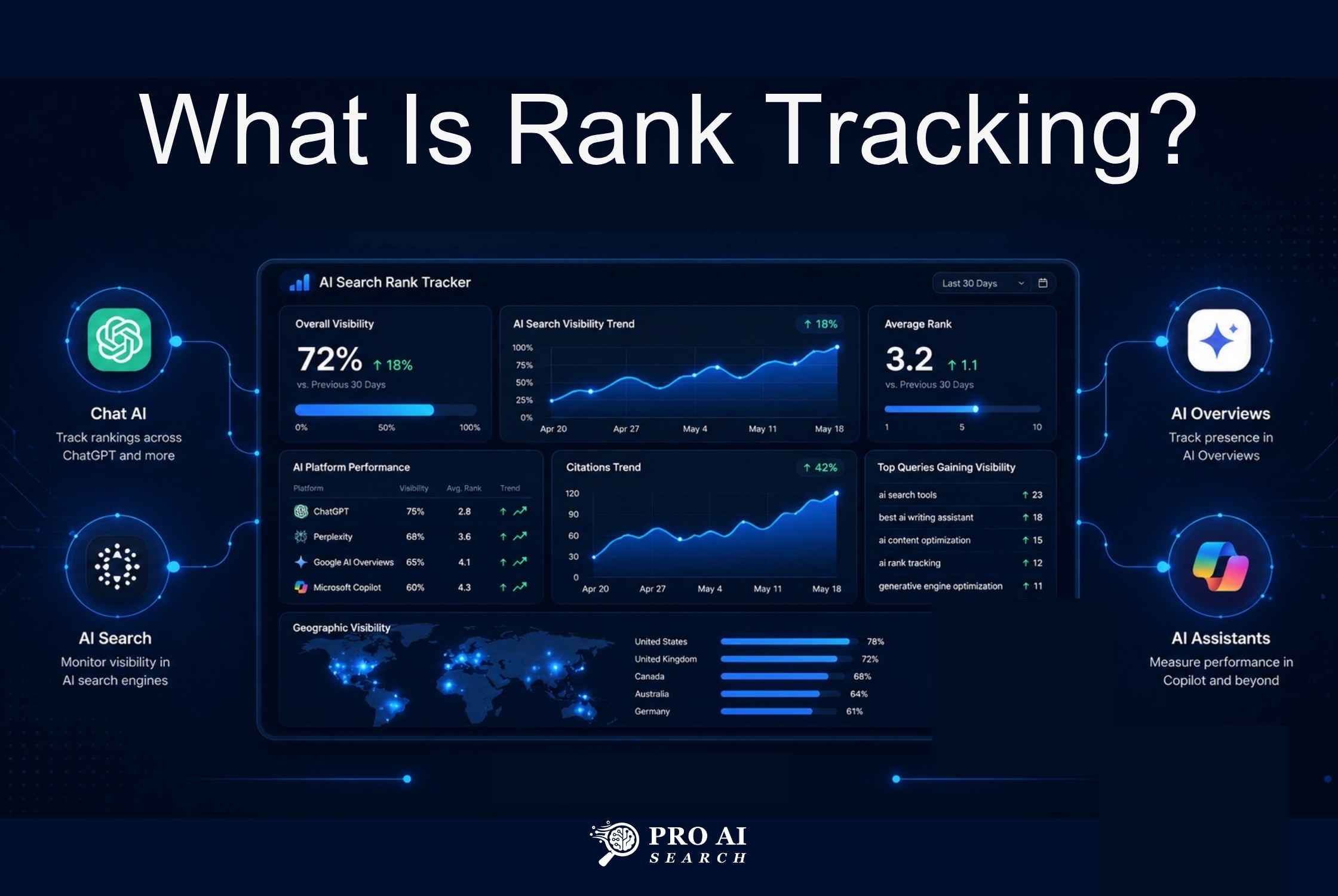
The output from a good rank tracker is a dashboard showing position over time, competitor positions for the same queries, and movement alerts when something shifts significantly. You are looking for trends, not daily noise.
How Often Should You Track Rankings?
I check weekly for most of my sites and daily only when I am actively testing something. Daily tracking is a trap early on: rankings fluctuate by 1 to 3 positions every single day because of personalization, algorithm experiments, and data variance in the tools. Reacting to that noise is a waste of time and will make you second-guess changes that are actually working.
The rule I use: only act when a meaningful movement (5 or more positions in either direction) holds for at least 7 consecutive days. That filters out the noise and leaves you with signals worth investigating.
What Should You Actually Track Beyond Just Position?
Position number is the obvious starting metric, but it will mislead you if you rely on it alone. A complete rank tracking setup in 2026 tracks several dimensions at the same time.
Track positions at the URL level, not the domain average. A domain average hides which specific pages are winning and which are bleeding. I made this mistake early on with FinLecture.in: our domain average looked healthy while a few high-traffic pages were quietly dropping from page 1 to page 2.
Track SERP features for your target keywords. Being in the featured snippet for a keyword where you rank #4 organically can drive more traffic than ranking #1 without any SERP feature. Track mobile and desktop separately. Track your top 3 competitors for the same keyword set so you can see relative movement, not just absolute position.
And in 2026, track AI Overview inclusion for your key queries. Whether your content is cited in Google’s AI-generated answers is now a separate, critical metric that most rank trackers do not capture by default. Our guide to tracking rankings across AI search engines covers this in detail, including exactly how to set up AI Overview citation monitoring alongside standard rank data.
Traditional Rank Tracking vs AI Search Tracking
This is the distinction most SEOs are still missing in 2026, and it is the one that burned me with LearnQ.ai. Traditional rank tracking and AI search tracking measure fundamentally different things. Running only one of them gives you a dangerously incomplete picture.
Traditional rank tracking measures your position in the organic blue-link results: positions 1 through 10 and beyond. For queries where Google returns a standard SERP, this works correctly. Your position directly predicts click volume because users scroll organic results and click on them. This is still where a large share of queries land, especially commercial and navigational ones.
AI search tracking measures something entirely different: whether your brand or content appears inside an AI-generated response. For Google AI Overviews, that means whether your page is cited as a source in the AI answer at the top of the SERP. For ChatGPT and Gemini, it means whether your brand appears when someone asks a relevant question. Our guide on how to rank in ChatGPT explains specifically how ChatGPT selects sources and what you can do to influence it. If you want to understand the full strategic difference between optimizing for these two environments, our GEO vs SEO breakdown is the right starting point.
The practical consequence of conflating the two: I have seen sites rank on page 1 for dozens of keywords while getting essentially no organic traffic from them, because AI Overviews were answering those queries before users reached the organic results. Traditional rank tracking showed green across the board. AI search tracking would have shown zero inclusion in the AI responses driving the actual clicks. Our complete GEO strategy guide covers what it takes to get cited in AI responses once you start tracking inclusion properly.
One prerequisite before any of this tracking matters: check that AI systems can actually read your website. A site that AI crawlers cannot access will never appear in AI-generated answers regardless of content quality or traditional organic position.
How AI Overviews Changed What “Rank #1” Actually Means
Before AI Overviews, ranking #1 meant your result was at the top of the page. Users saw it first. Click-through rates for position #1 were strong and predictable. That is not always true anymore.
When Google shows an AI Overview for a query, it sits above all organic results. When a user expands it, the first organic result is pushed significantly down the page. Research from Advanced Web Ranking’s CTR study confirms that organic position #1 CTR drops substantially on queries where AI Overviews are present. Many users get their answer from the AI response and never scroll to the organic results at all. To understand why this happens and how AI search engines decide what to include, our guide on how AI search engines work covers the retrieval and citation mechanics in full.
Google AI Mode takes this even further. In AI Mode, the interface is fully conversational and AI-generated. Traditional organic rankings may not appear in the initial response at all. The position 1 to 10 framework simply does not apply to AI Mode queries. Our guide on appearing in Google AI Overviews explains what content signals Google uses to select cited sources. For the full multi-platform strategy across AI Mode, Gemini, and ChatGPT, our multi-platform AI SEO guide covers each channel and what ranking in each one actually requires.
My takeaway from running this across Pro AI Search: you need both tracking layers running in parallel. Traditional positions for queries where organic results still dominate. AI Overview inclusion for queries where Google is generating an AI response. The difference between AI search and traditional search is significant enough that the two tracking systems feed different optimization decisions entirely.
The Best Rank Tracking Tools in 2026
The right tool depends on whether you need traditional rank tracking, AI search visibility, or both. Here is how I think about the options based on what I have actually used.
For Traditional + AI Search Tracking Combined
SE Ranking is what I currently recommend for most people because it covers both in one place. It tracks traditional positions on Google and Bing, and it monitors AI Overview inclusion, Google AI Mode, ChatGPT, Gemini, and Perplexity. Pricing starts around $65 per month for lower keyword volumes. It is not cheap for a solo operator, but it is the only tool I have found that genuinely covers both traditional and AI search tracking in a single dashboard.
Semrush Position Tracking is the right choice if you are already using Semrush for backlinks, site auditing, and competitive research. Adding AI visibility tracking inside a tool you already use daily reduces context-switching and keeps your data in one place.
For Traditional Rank Tracking Accuracy
Ahrefs Rank Tracker is the most reliable I have used for traditional organic position accuracy. It also has Brand Radar, which tracks your brand’s presence inside ChatGPT, Gemini, and Microsoft Copilot. Not as deep on AI tracking as SE Ranking, but solid if you are already in the Ahrefs ecosystem.
Nightwatch is worth considering specifically if you have local SEO needs at scale. It supports over 100,000 locations, which matters if you are tracking a business with locations across multiple cities. It also has built-in AI visibility monitoring.
For a Free Starting Point
Google Search Console is free, directly from Google, and the non-negotiable baseline. I use it on every site I touch. It gives you average position, impressions, clicks, and CTR by query. It does not give you competitor data, daily position snapshots, or AI Overview tracking. But it is the foundation everything else is built on.
For a full comparison of tools built specifically for GEO and AI search visibility, with pricing and feature breakdowns, see our best GEO tools guide. It covers which tool fits which use case at each budget level.
How I Set Up Rank Tracking on a New Site
This is the exact sequence I use. It takes about an hour and saves you from flying blind for months.
Step 1: Connect Google Search Console first. Verify ownership, submit your sitemap, and then wait at least 28 days before drawing any conclusions. GSC data needs time to accumulate before it is useful for trend analysis. Do not skip this step to jump straight to a paid tool.
Step 2: Define a tight keyword set. I track 50 to 150 keywords per site, not thousands. Prioritize your primary commercial keywords, your branded terms, your top informational keywords by traffic, and 5 to 10 keywords per top competitor. More than 200 tracked keywords creates noise without adding actionable insight.
Step 3: Set location and device parameters. Track from the locations your actual customers search in. Track mobile and desktop separately. Mobile is the primary signal for Google’s mobile-first index, and your mobile rankings are often meaningfully different from desktop.
Step 4: Add your top 3 competitors. Relative movement tells you more than absolute position. A drop from position 3 to 5 looks bad in isolation. If your main competitor dropped from position 1 to 8 in the same period, the picture is very different.
Step 5: Add AI Overview tracking. SE Ranking or Advanced Web Ranking both let you monitor AI Overview inclusion for your target keywords. Start with your highest-volume informational and how-to queries. These are the query types most likely to trigger AI Overviews, and the ones where traditional organic CTR is most affected. Before this step, make sure your site is properly accessible to AI crawlers: our guide to configuring robots.txt for AI crawlers covers the key settings, and adding an llms.txt file is also worth doing at this stage. Our breakdown of whether llms.txt helps SEO explains exactly what it does and how to set it up correctly.
Step 6: Connect GA4. Link your rank tracker to GA4 so you can correlate position changes with actual traffic and conversions. When I was optimizing FinLecture.in, this connection revealed that some pages were gaining positions while losing traffic, which pointed to AI Overview cannibalization before I would have noticed it any other way. Our guide on setting up GA4 for AI search tracking covers the specific configuration steps.
Once your tracking stack is live, use our technical GEO audit checklist to make sure your site’s technical setup supports both traditional SEO and AI search visibility. The two share most of the same technical foundation, but AI search has additional requirements around structured data, llms.txt, and crawler access that standard SEO audits miss.
How to Interpret Rank Data Without Overreacting
The most common mistake I see (and made myself early on) is treating every position movement as a signal. Most daily fluctuations mean nothing and should not trigger any action.
Meaningful changes worth investigating: a sustained movement of 5 or more positions holding for 7 days or longer, a drop from page 1 to page 2, or a complete disappearance from the top 20. Everything else is SERP personalization, Google’s ongoing algorithm experiments, and variance in the tracking tool itself.
When a meaningful drop does happen, check these before changing anything on the page: look in GSC for manual actions or crawl coverage issues, check whether it is keyword-specific or site-wide, and check whether your competitors dropped simultaneously (which points to an algorithm update rather than something specific to your site). When it comes to organic CTR expectations, also factor in AI Overview coverage for that keyword. If Google has started showing an AI Overview for a query where you previously ranked #1, your CTR will drop even if your organic position is unchanged. The correct response is to pursue AI Overview inclusion, not to keep rewriting the page. Our AI search optimization checklist covers the full set of signals that influence AI Overview citation.
Common Rank Tracking Mistakes I See All the Time
Only tracking desktop rankings. Mobile accounts for over 60% of global searches. Your mobile ranking is what Google’s mobile-first index primarily uses to evaluate your pages. If you are only watching desktop positions, you have a blind spot in the majority of your traffic.
Ignoring location variables. I tracked VEGA AI with a single national average for months before realizing that city-level rankings were significantly different from the national number. If you serve customers in specific regions, track from those locations. The gap between national and local can be 5 to 10 positions on competitive keywords.
Not tracking AI Overview inclusion. If your target keywords are informational, how-to, comparison, or definition queries, traditional position data is incomplete. Those are exactly the query types Google is most aggressively converting to AI Overviews.
Reacting to daily movements. I went through a phase of checking rankings every morning and making tweaks based on 2-position daily swings. It was a complete waste of time and actually hurt performance because I was making changes before any meaningful signal had time to develop. Set your review cadence to weekly and stick to it.
Not separating branded from non-branded. Branded searches almost always rank #1 and inflate your average position metrics. Segment them out so your non-branded trend is visible on its own. The non-branded trend is what actually reflects your SEO performance.
If you want to audit your full AI search setup beyond rank tracking, our 50-point AI search optimization checklist covers content, technical, and authority signals in one framework. If you want hands-on help setting up tracking and optimizing for Google AI Overviews, Gemini, and ChatGPT, see our AI search optimization services.
Frequently Asked Questions About Rank Tracking
What is rank tracking in SEO?
Rank tracking is monitoring where your web pages appear in search results for specific keywords over time. It is the measurement layer of SEO: it tells you whether your optimization work is improving visibility and alerts you to drops before they significantly affect traffic.
How often should I check my keyword rankings?
Weekly is the right default for most sites. Daily tracking creates noise that makes it tempting to act on fluctuations that mean nothing. For competitive niches or active campaigns where you need to measure impact quickly, daily makes sense. Otherwise, weekly trend data is cleaner and more actionable.
Is rank tracking still relevant with AI search?
Yes, but it has to expand. Traditional position tracking still matters for queries that return standard organic results. What has changed is that you now need AI Overview inclusion tracking running alongside it, because AI-generated answers are displacing organic clicks on a growing share of informational queries. Traditional rank tracking alone gives you an incomplete picture in 2026.
What is the difference between rank tracking and AI visibility tracking?
Rank tracking measures your position in organic blue-link results. AI visibility tracking measures whether your content is cited inside AI-generated responses from Google AI Overviews, Gemini, ChatGPT, and other AI search systems. They require different tools and reflect different optimization strategies. Our guide to AI search rank tracking explains how to run both systems in parallel without doubling your workload.
Can I do rank tracking for free?
Google Search Console gives you free position data directly from Google: average position, impressions, clicks, and CTR by query. It does not include competitor data, daily snapshots, or AI Overview tracking. For those capabilities you need a paid tool. GSC is the essential baseline; paid tools build on top of it.
Why do my rankings look different in my rank tracking tool versus when I Google it myself?
Google personalizes results based on your search history, location, and logged-in account. When you search yourself, you see a personalized result. Rank trackers simulate anonymous searches from a specific location with no personalization. The tracker result is closer to what a new user in that location would see, which is the more reliable benchmark for SEO purposes.
Should I track every keyword I target?
No. Track keywords directly connected to revenue, leads, or your core content goals. 50 to 150 well-chosen keywords is the right range for most sites. More than that creates noise without adding actionable insight. Focus on your commercial terms, branded queries, and a representative sample of informational keywords to monitor content cluster performance.